lizardbot builds custom desktop software for Windows, macOS and Linux: internal tools, customer-facing apps and full software products. Our reference project is antlook, a Windows privacy browser we designed and built from scratch on Chromium. We work in five stages with milestone payments, and you receive the full source code and ownership at the end.
When a desktop application is the right call
Not everything belongs in a browser tab. A desktop app makes sense when it:
- Needs system access: local files, printers, scanners, ports or connected hardware.
- Has to work offline or on an unreliable connection.
- Processes heavy or sensitive data that should stay on the user's machine.
- Is a product you will distribute and install on your customers' computers.
If your use case works just as well in the browser, we will say so: a web app may be simpler to maintain.
What our desktop software development includes
- Cross-platform applications for Windows, macOS and Linux.
- Internal tools for your operations: point of sale, inventory, reporting or repetitive workflows.
- Software products to sell or distribute to your customers.
- Interface design built for long working sessions, with shortcuts and clear flows.
- Security and privacy by design: encryption, careful handling of local data and backups.
- Installers and updates so the app reaches every machine and stays current.
Reference project: antlook, our Chromium-based browser
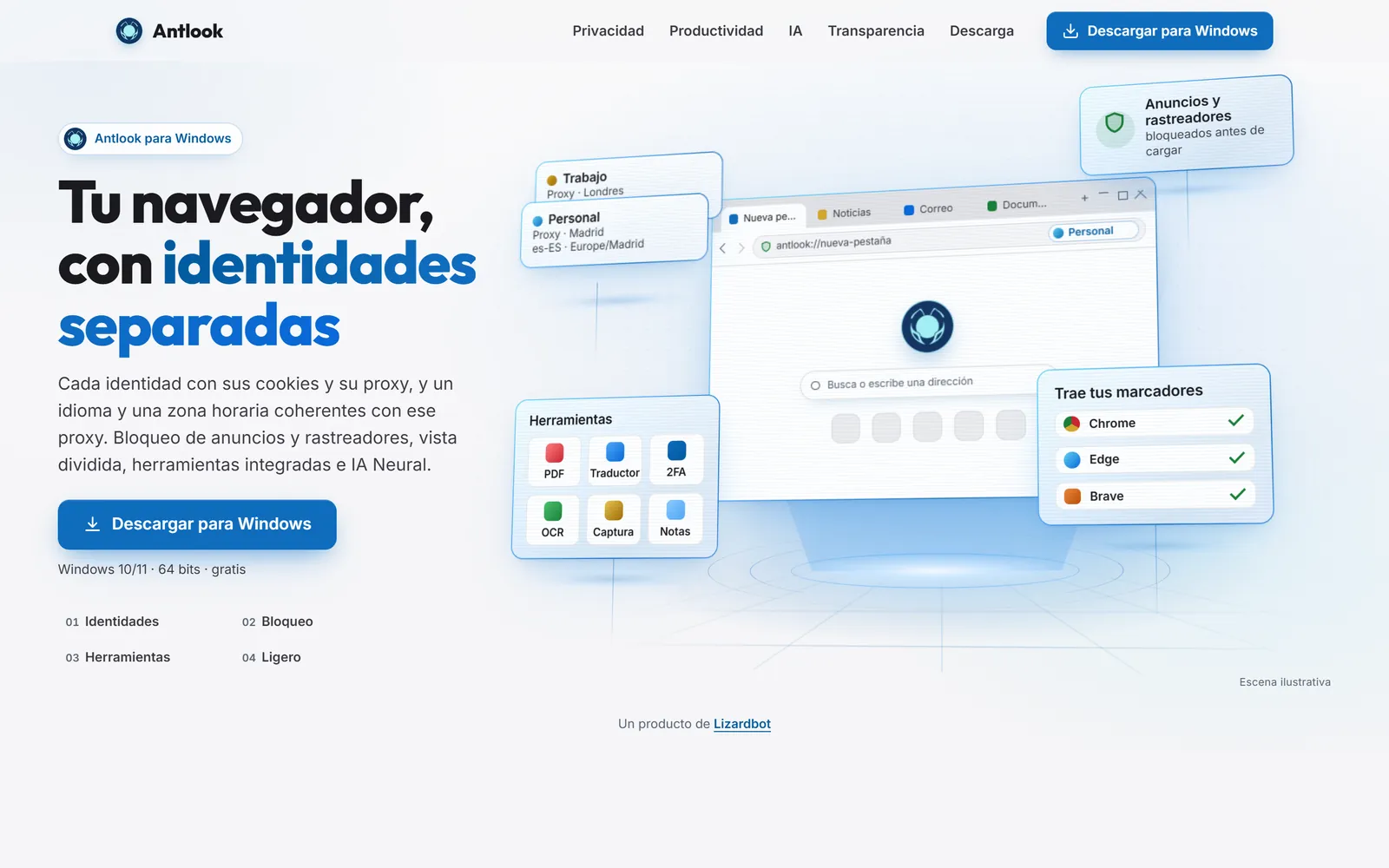
antlook is our own product: a privacy browser for Windows 10 and 11 that we designed and built from scratch on Chromium. No ads and no trace. Some of what is inside:
- Separate identities: each identity with its own cookies and proxy, never mixed.
- Modo Búnker: una pestaña sin JavaScript para las webs en las que no confías.
- Neural: an AI assistant built into the browser, with an optional local mode.
- Native adblock: blocks ads and trackers without extensions.
A browser is one of the most demanding pieces of desktop software there is. That work is the clearest example of how we approach a desktop project for you. See it at antlook.io.
How we work
- Discovery: operating systems, users, hardware and data. You get a scope and timeline.
- Design: an interface prototype before we code.
- Development: short cycles with an installable demo of each milestone.
- Security and QA: testing on every target OS, audits and data hardening.
- Launch: installers, distribution, monitoring and support.
What you get
- All the source code and full ownership of the software.
- Milestone payments as the work progresses.
- Revisions included.
- Support, monitoring and ongoing improvements after launch if you need them.
Desktop development technologies
For cross-platform desktop apps we work with Electron, plus React, Node and Python depending on what each part of the system needs. For deeper projects like antlook, we work directly on top of Chromium. We choose the technology based on performance, installer size and who will maintain the software afterward.
Common mistakes in desktop projects
- Testing on one operating system only. What works on Windows can break on macOS or Linux.
- No update plan. Without an update mechanism, every fix means a manual reinstall.
- Storing sensitive data unencrypted. A lost laptop should not turn into a data breach.
- Skipping code signing. Operating systems warn about or block unsigned software, and that scares users away.
Frequently asked questions
Which operating systems do you build desktop software for?
We build applications for Windows, macOS and Linux. During discovery we define which platforms your software must support, based on your users and their machines, and we test on each one before launch.
What is antlook and how does it relate to my project?
antlook is our own privacy browser, designed and built from scratch on Chromium, with a built-in AI assistant (with an optional local mode), native adblock and fingerprint protection. It is our desktop reference project and shows how we handle demanding, secure software built to product standards.
How much does custom desktop software cost with lizardbot?
Every project is custom. Tell us what you need, which systems it must run on and who will use it, and within 24 hours we send a no-commitment estimate, with payments split into milestones.
How long does a desktop software project take?
It depends on scope. A full application typically takes 6–12 weeks. On day one we give you a timeline with every stage and what you receive at the end of each.
Can the software work offline?
Yes, if the project calls for it. We can design the app to work offline and sync when the connection returns, or to process data locally on the user's machine when privacy requires it.